

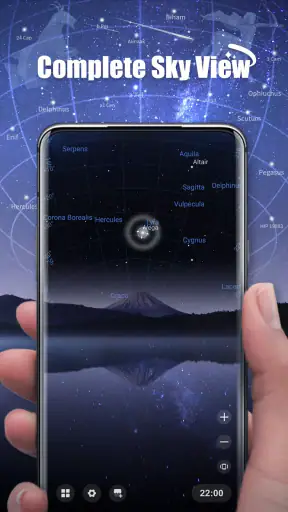
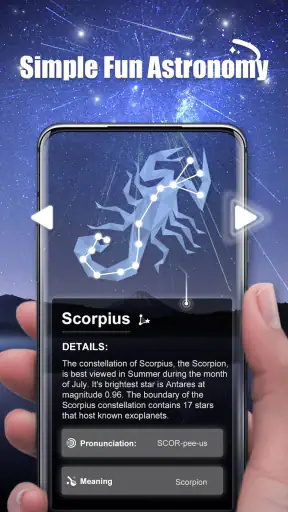
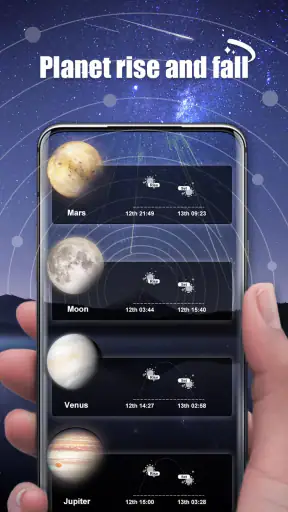
When I want to turn a clear evening into a small learning moment, Star Roam Sky Map Planet is the kind of education app I reach for first. It gives the sky a more approachable shape than a textbook or a long astronomy video: instead of starting with a list of terms, I can begin with what is above me and use that as the reason to ask questions. That makes it especially appealing for families, curious beginners, and friends who want something more meaningful than simply taking a photo of the night.
My overall impression is positive, but I would not treat it as a complete astronomy course. Its value is in helping people look upward with more purpose. The app is free to start, aimed at Everyone, and developed by Findout World Inc. It belongs in the education category, although the experience feels relaxed and exploratory rather than like formal study. With a 4.3 average from around 16 thousand ratings and over 1 million installs, it has clearly found an audience among people who want an uncomplicated introduction to the starry sky.
From a casual glance at the sky to a shared learning session
Starting with the right expectation
The best way to approach this app is not as a replacement for a professional astronomy tool. I see it more as a bridge between “that star looks interesting” and “I now understand a little more about what I am seeing.” That distinction matters. Someone who needs detailed observing equipment support, advanced celestial calculations, or a structured academic syllabus may prefer a specialist alternative. Someone who wants children or friends to become curious without feeling tested will probably find the tone more comfortable.
Before opening it, I would set up a simple goal. For example, I might decide to identify a few objects during a family walk, use the app to start a conversation with a child, or spend ten minutes learning why the sky looks different from one evening to another. Having that small purpose prevents the session from becoming random tapping. The app works best when it is treated as a prompt for observation, not as the entire activity.
There is also a practical advantage to beginning indoors. I can explore the interface while sitting comfortably, then take the phone outside once I know what I want to look for. This indoor-to-outdoor handoff is useful with children because it gives them a question to carry outside. Rather than handing over a phone and hoping interest appears, I can first create a little anticipation and then use the sky as the answer.
How I move through the experience
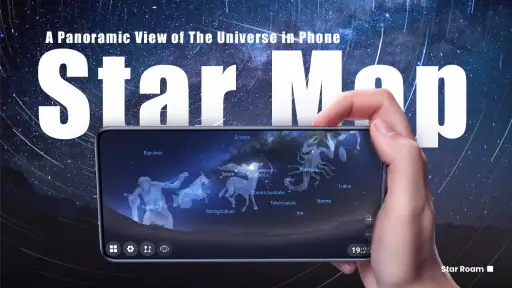
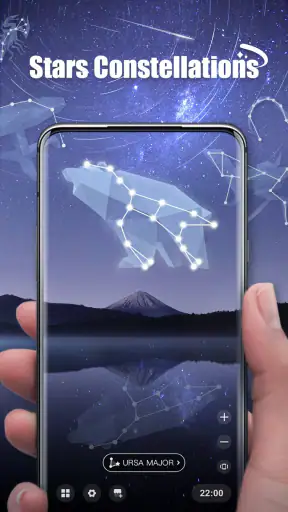
I begin by opening the app and orienting myself to its sky-map approach. The important shift is from looking at a flat screen as a collection of labels to using it as a guide for connecting the display with the real sky. I move slowly, checking the visual layout instead of rapidly jumping between objects. That pace makes the experience easier to share because another person can follow what I am doing and ask questions before I move on.
For a first session, I would choose one obvious target or one small area rather than trying to cover everything. A child can lose interest quickly if the activity becomes a parade of unfamiliar names. One useful technique is to ask the child to point at something in the real sky first, then use the app to investigate it. This reverses the usual process and gives the learner ownership of the discovery.
With friends, the workflow feels slightly different. We can take turns choosing what to explore, then compare what each person notices on the screen and outside it. That makes the app less like a private reference tool and more like a conversation starter. I especially like this approach when not everyone in the group already knows astronomy, because the app gives beginners a shared object of attention without requiring one person to act as the expert.
A second useful habit is to keep a short verbal record rather than trying to memorize everything. After exploring one object or region, I might ask, “What did we just learn, and what should we look for next time?” This simple pause turns passive browsing into recall. It also exposes whether the app is actually helping the group understand the sky or merely producing attractive information on demand.
The handoff between screen and real sky
The central handoff is from the phone to the outdoor view. This is where the app has the most educational potential, but it is also where the user has to do some work. A screen can suggest where to look, yet the real sky may be affected by clouds, bright surroundings, trees, buildings, or the difficulty of holding a phone at a comfortable angle. I would therefore use the app as a reference while keeping my eyes away from the display for most of the observation.
For families, I recommend giving one person the phone and letting everyone else look up. If every participant is staring at a separate screen, the shared experience disappears. The person holding the device can describe what is being shown, then lower it so the group can search together. This is a small but important workflow choice: the app should support the conversation, not replace it.
Another effective handoff is between age groups. An adult can operate the map while a child supplies the questions. Older children may prefer to take control and explain what they find to younger siblings. That makes the app useful beyond a single explanation because it can support peer teaching. I would still keep the session short at first, since enthusiasm usually lasts longer when the activity ends before it becomes tiring.
For a classroom or informal club, I would use the app as a starting station rather than the whole lesson. One group could explore the map, another could sketch what they see, and a third could discuss why the visible sky may not match the display perfectly. The handoff from digital exploration to drawing or discussion is where the educational value becomes more durable. The app supplies the stimulus; the learner has to do the interpreting.
What the experience produces
The result I get from Star Roam Sky Map Planet is mainly confidence. After a session, I am more likely to notice the sky and wonder what I am seeing instead of treating it as a background. That may sound modest, but it is a meaningful outcome for beginners. Astronomy can feel distant when presented only through technical vocabulary. A guided visual experience makes the first step feel manageable.
It is also useful for creating a repeatable evening routine. I can use the app before going outside, observe for a while, and then return to it to revisit the ideas that were confusing. This three-part rhythm—prepare, observe, reflect—works better than leaving the app open continuously. It reduces screen dependence and gives the real-world observation a clear place in the activity.
For children, the strongest result may be the questions that come afterward. They might ask why some objects are easier to see, why the sky changes, or whether the same view appears everywhere. The app does not need to answer every question immediately to be successful. Sometimes its job is simply to make the next question feel worth asking. I consider that a stronger educational outcome than a session in which a child remembers a few labels but never looks up again.
The app can also help a hesitant adult participate. Not everyone feels comfortable explaining astronomy, and I would rather use a visual guide than pretend to know more than I do. That makes it a practical companion for a parent, older sibling, or friend who wants to lead an activity without preparing a full lesson. The important thing is to present discoveries as shared exploration rather than authoritative instruction.
Where the flow becomes less comfortable
The first limitation is that the quality of the session depends heavily on the surroundings. An app cannot remove light pollution, poor weather, obstructions, or the simple difficulty of recognizing faint objects. If I expect the screen to make every target instantly visible outside, I may be disappointed. The better approach is to separate learning from successful spotting: even when the sky is uncooperative, the app can still help explain what I hoped to find.
A second friction point is the gap between a friendly introduction and deeper study. Beginners may enjoy the accessible format, but experienced observers could outgrow it if they want more specialized detail or a highly technical workflow. This is where a dedicated astronomy reference or observing application may be the better choice. I would not recommend switching to this app if the main goal is advanced planning, equipment control, or rigorous data analysis.
The phone itself can become a distraction. Children may focus on navigating instead of observing, while adults may spend too long adjusting the screen rather than enjoying the evening. I deal with this by assigning a clear role to the device: locate, explain, then put it down. A timer or a planned stopping point can help, although the app does not need to dominate the outing to be useful.
There is also a purchasing consideration. The app is free, but optional in-app purchases range from under one dollar to nearly seventy dollars per item. I would explore the free experience first and decide whether the additional content genuinely fits my use. For a family using it occasionally, paying for extras may not be necessary. A regular learner may see more value, but should still compare the cost with other astronomy resources before committing.
Who will get the most from it
I think it is a strong match for parents introducing astronomy at home, children who respond to visual discovery, and adults who want a low-pressure way to begin learning. It also suits small groups because the sky map gives everyone something concrete to discuss. The Everyone content rating makes it easier to consider for mixed-age use, though an adult should still guide younger children so the activity remains focused and understandable.
It is less suitable for someone who wants a complete course with lessons, tests, or a clear progression from beginner to advanced material. It is also not my first choice for an observer who already knows the sky well and needs highly specialized tools. In those cases, a more technical alternative may offer better control. The app’s strength is approachability, and that strength naturally comes with a ceiling for demanding users.
Device compatibility is another point to check before planning a session. The current version is 1.5.1 and requires operating system version 10 or later. That is not a problem for a reasonably recent device, but anyone using an older phone or tablet should confirm compatibility before arranging an outdoor activity around it. A failed installation at the last minute would be especially frustrating with children waiting to begin.
My practical workflow for a first evening
If I were recommending it to a friend, I would suggest this sequence. First, open the app indoors and spend a few minutes becoming familiar with the sky-map view. Second, choose one modest learning target instead of trying to explore the entire sky. Third, go outside and let one person guide the phone while everyone else searches with their eyes. Fourth, lower the device and talk about what was easy, confusing, or impossible to see. Finally, return to the app only if a question remains.
That workflow avoids a common mistake: treating the app like a continuously running overlay. The most valuable moment is often the gap between what the map suggests and what the group can actually observe. That gap encourages discussion about conditions, visibility, and perspective. It also teaches a useful scientific habit—checking an idea against the real world rather than accepting the screen without question.
For repeated use, I would vary the person in charge. One evening, an adult can guide the session; another evening, a child can choose the target and explain it. Friends can rotate the role of navigator. This keeps the activity from becoming a one-person demonstration and makes the app feel less repetitive. I would also leave space between sessions so the sky itself has time to provide something new.
Findout World Inc has positioned the app as a free educational experience rather than an intimidating technical instrument, and that choice is clear in how I use it. The product works when the desired outcome is curiosity, shared attention, and a first connection with astronomy. It works less well when the desired outcome is exhaustive information or professional-grade observing support.
My final recommendation
After using it as a guide for real-world sky watching, I would recommend Star Roam Sky Map Planet to beginners who want an inviting way to explore astronomy with children or friends. Its strongest feature is not simply showing a map; it is helping turn an ordinary evening into a question-and-answer activity. The free entry point makes it easy to try, and the broad age rating supports family use.
I would keep expectations realistic. Choose a clear goal, use the phone briefly, and let the outdoor observation lead. If the sky is hidden or the session becomes too screen-focused, the experience loses much of its charm. If you need advanced tools, formal lessons, or detailed observing control, another app will probably serve you better.
For the right audience, though, this is a pleasant and useful starting point. I would install it before a family night outside, a casual astronomy meetup, or a child’s first serious attempt to understand the stars. Its real success is measured by what happens after the screen goes dark: whether you and your companions keep looking up.


